If your PHP code says it “sanitizes everything,” check the boring thing first: it probably understands nothing about context. That phrase sounds protective right up until a query string becomes an open redirect, a filename walks out of its directory, or a log viewer reflects raw input back into HTML. The symptom is familiar. One helper did three jobs badly, and now everyone is pretending that was a design.
Most readers land here with the same practical questions. How do you validate query strings without turning every field into regex soup? What should you trust from headers like Referer or User-Agent? How do you accept uploads without giving path traversal or content-type spoofing a free room key? Those are the right questions. The wrong question is usually “what one sanitization function should I run on everything?” That question is how teams end up debugging percent signs, broken redirects, and reflected markup at 2 a.m.
The safer model is less dramatic and much more effective: validate input by purpose, normalize only what needs normalization, and escape or encode output for the exact destination at the last responsible moment. The OWASP Input Validation Cheat Sheet and the PHP manual for filter_input() both point in that direction for a reason. Validation decides whether data belongs. Output encoding decides how data is safely rendered. They are related, but they are not interchangeable.
This guide keeps the scope practical: GET and POST parameters, JSON bodies, cookies, request headers, filenames, paths, and uploads. I will stay on the defensive side of the fence and focus on repeatable patterns you can apply in ordinary code reviews. If you want the broader tool catalog, the home page, the blog, and the Sources/Functions… section cover related utilities. If you need help pressure-testing a live workflow, the Support page is the direct route.
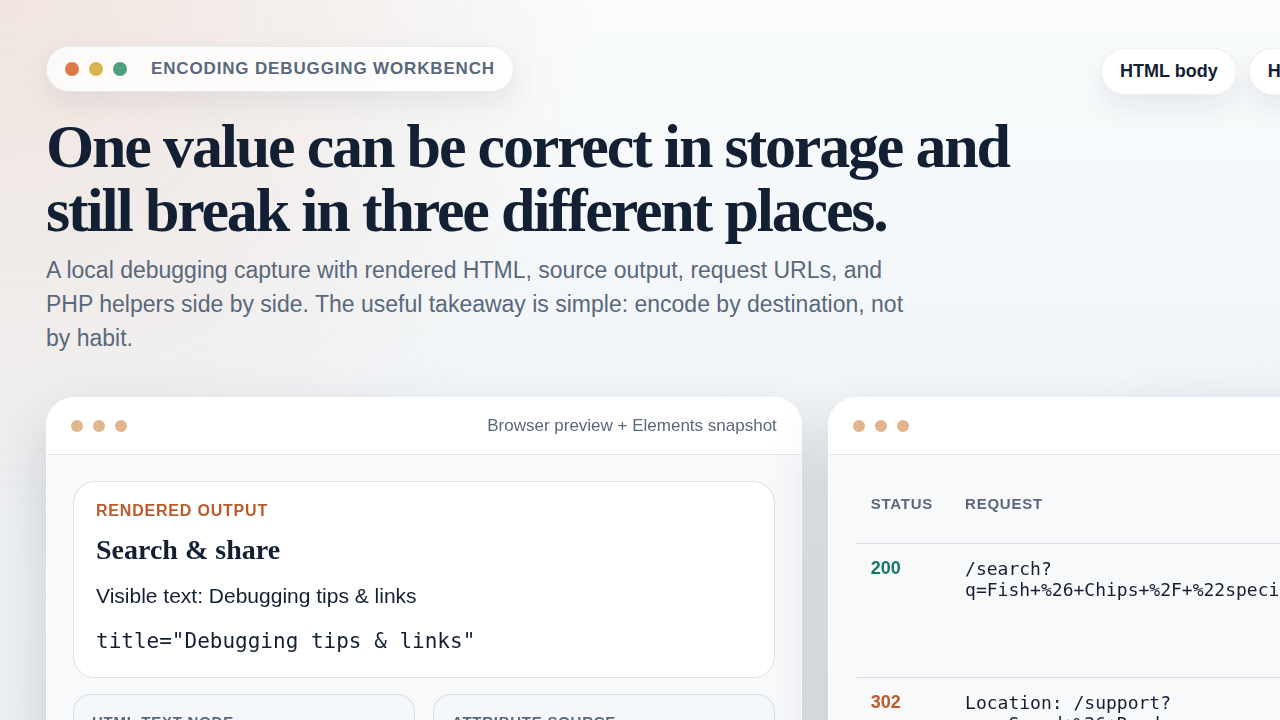
Why “sanitizing” is not enough
“Sanitize” is one of those words that survives because it is vague enough to sound useful in every meeting. In code, vagueness is not a virtue. Validation answers whether the input matches what your application expects. Normalization brings acceptable data into a consistent internal shape. Output encoding prepares that data for a specific destination such as HTML text, an HTML attribute, or a URL component.
Once you separate those jobs, the actual problem becomes easier to diagnose. A product ID in ?id=42 should be validated as an integer. A redirect target should be validated against allowed paths or hosts. A filename should be treated as untrusted metadata, not as a path you obediently concatenate into the filesystem. Then, if any of those values are shown in a browser, the browser-facing output gets escaped for the place where it lands. Same value, different job, different boundary.
The mistake teams keep repeating is trying to use one broad “cleanup” step as if it solved every downstream risk. It does not. A string can be validated and still break HTML when rendered raw. It can be URL-encoded and still be unsafe when reflected into a header or an attribute. It can look harmless in logs and still become an XSS issue when those logs are later displayed in an admin table. Symptoms lie less than slogans do.
Threat map: where the common injection problems actually start
You do not need a catalog of every web vulnerability ever named. You need a short threat map that tells you which input source tends to trigger which class of bug.
| Input source | Typical false assumption | What actually goes wrong | Defensive priority |
|---|---|---|---|
| Query strings and POST fields | “The browser already shaped this for us.” | Reflected XSS, open redirects, unsafe SQL or shell input, broken type handling | Strict type validation, allowlists, length limits, parameterized downstream calls |
| JSON request bodies | “It parsed, so it must be fine.” | Unexpected nesting, oversized payloads, wrong types, unsafe downstream use | Schema-like checks, explicit key allowlists, body size limits |
| Cookies | “We set it, so we can trust it.” | Tampering, stale values, reflected UI bugs | Signature or server-side lookup, type checks, expiry handling |
| Headers such as Referer or User-Agent | “These came from the browser, not the attacker.” | Header injection, log pollution, reflected XSS in reports | Reject control characters, treat as untrusted text, never trust for auth |
| Uploaded filenames and file metadata | “The extension tells the truth.” | Path traversal, MIME spoofing, executable uploads, overwrite bugs | Server-generated names, MIME validation, storage outside web root |
That table covers the actual problem space for most PHP applications. The boring part is also the useful part: nearly every item becomes manageable when you stop trusting the shape, type, origin story, or display context of the value. “It came from our form” is not a control. It is a bedtime story.
Input sources checklist: GET, POST, JSON, cookies, headers, and uploads
Every request source has a different failure mode. Treating them all as “user input” is directionally correct, but not specific enough to write reviewable code. The checklist below works because it makes the source explicit before the code touches business logic.
GET and POST parameters
These are usually the easiest to validate well because the expected shapes are often obvious. IDs should be integers. Sort directions should come from a small allowlist. Search terms should have length limits and consistent character handling. Free-form text fields still need a maximum length even when they accept broad character sets.
$productId = filter_input(
    INPUT_GET,
    'id',
    FILTER_VALIDATE_INT,
    ['options' => ['min_range' => 1]]
);

$sort = filter_input(INPUT_GET, 'sort', FILTER_UNSAFE_RAW);
$allowedSorts = ['latest', 'oldest', 'popular'];
$sort = is_string($sort) && in_array($sort, $allowedSorts, true) ? $sort : 'latest';
The point of that pattern is not that filter_input() is magical. It is that the code declares intent. Type, minimum range, and explicit fallback behavior are visible in one place. Reviewers can reason about it without guessing what “sanitizeInput()” was trying to mean this week.
JSON request bodies
JSON tends to create a false sense of structure because decoding succeeds even when the content is semantically wrong for your application. Parse errors matter, but so do key allowlists, required properties, body size limits, and strict type checks after decode.
$rawBody = file_get_contents('php://input');

if (strlen($rawBody) > 100_000) {
    throw new RuntimeException('Request body too large.');
}

$payload = json_decode($rawBody, true, 32, JSON_THROW_ON_ERROR);

if (!is_array($payload) || !isset($payload['email']) || !is_string($payload['email'])) {
    throw new InvalidArgumentException('Invalid payload shape.');
}
Do not treat a decoded array as self-documenting truth. A parsed body can still contain extra keys, arrays where strings were expected, or values that are technically strings but still too long or irrelevant to the field. Decoding is not validation. It is the receipt that says the parser stayed conscious.
Cookies
Cookies are client-controlled storage, not a trusted memory extension for the server. Even if your application originally set the value, the browser sends it back as untrusted input. Use cookies for identifiers, signed state, or small preference values only when you validate them on return. For sensitive state, a server-side session or database lookup is usually cleaner.
Headers like Referer and User-Agent
These are useful for diagnostics and reporting, but not for trust decisions. The site’s RedKernel Referer Tracker topic exists because referrer data can be operationally helpful. It does not follow that the header is authoritative. Browsers may omit it, privacy tools may trim it, and clients can forge it. Treat headers as informational text, never as identity.
That becomes especially important when headers land in dashboards or reports. A forged User-Agent string that contains HTML or control characters is still just untrusted text. The Reports & Tracking section is exactly where these values become visible, so the rendering rules have to be boring and consistent.
Uploaded files
File uploads are where several bad assumptions collide: client-supplied MIME types, original filenames, extensions, file sizes, and storage paths. Handle each one separately. The user-supplied filename is not your storage name. The extension is not proof of content type. A successful upload is not proof the file belongs anywhere near your public document root.
Validation patterns that hold up in PHP
There is no universal validator because fields have different purposes. There are, however, a few patterns that keep holding up because they map to how applications actually work.
| Pattern | Good fit | Why it works | Common misuse |
|---|---|---|---|
| Allowlists | Sort keys, status flags, route names, file extensions | Rejects everything outside a known set | Using a blacklist instead of defining acceptable values |
| Strict types | IDs, booleans, counts, timestamps | Prevents “string that looks sort of numeric” ambiguity | Casting before validation and losing the original signal |
| Length limits | Search terms, headers, filenames, comments | Stops oversized junk early and cheaply | Forgetting multibyte-aware checks for user-facing text |
| Targeted regex | Slugs, short tokens, fixed identifier formats | Useful when the valid pattern is narrow and explicit | Using regex as a vague replacement for type and purpose rules |
The pattern behind the patterns is simple. Define what a field is allowed to be, not just what it is forbidden to contain. Blacklists fail because inputs mutate faster than your suspicion list. Allowlists and strict constraints work because they describe the actual field contract.
For free-form text, you usually validate size, encoding, and maybe a few control-character rules, then keep the raw text and escape it on output. For narrow values like route names, roles, or sort keys, an allowlist is usually enough. For anything security-sensitive downstream, such as database queries or shell commands, validation is only the first layer. You still need parameterized queries, API-safe argument passing, and no shell concatenation with raw user input. Rule that out early.
Safe handling for filenames and paths
Path traversal bugs grow out of one lazy habit: treating a user-controlled string as if it were already a safe local path. It is not. The path separator is not your friend. Neither is ../. Neither is the filename the browser claimed to upload.
The defensive pattern is straightforward:
- Use a fixed base directory that your application controls.
- Generate the storage filename on the server.
- If you must preserve the original filename for display, store it as metadata only.
- Resolve the target directory and verify it remains inside the expected base path.
$baseDir = '/var/app/uploads';
$originalName = $_FILES['document']['name'] ?? '';
$storedName = bin2hex(random_bytes(16)) . '.pdf';
$targetPath = $baseDir . '/' . $storedName;

$realBase = realpath($baseDir);
$realTargetDir = realpath(dirname($targetPath));

if ($realBase === false || $realTargetDir === false) {
    throw new RuntimeException('Upload path is not available.');
}

if (strncmp($realTargetDir, $realBase, strlen($realBase)) !== 0) {
    throw new RuntimeException('Resolved path escaped the upload directory.');
}
That check matters because string inspection alone is fragile. Variations in slashes, symbolic links, or encoded path tricks are exactly why OWASP’s path traversal guidance keeps emphasizing canonical path checks and strict directory boundaries. Also note what the example does not do: it does not reuse $originalName as the stored path. That is the part that saves you from a depressing amount of cleanup later.
If the application needs “pretty” download names, serve the stored file by internal identifier and set a safe download filename in the response header after validation. Storage and presentation should not be the same field just because it felt convenient.
Header-safe practices: normalize, reject CR/LF, avoid reflection
Headers are just another place where control characters become a problem. If untrusted input reaches an outgoing header value and still contains carriage return or line feed characters, you have built yourself a header injection bug. The fix is not glamorous. Reject CR and LF, normalize text where appropriate, and never reflect arbitrary user input into headers without a narrow reason and clear validation.
$next = $_GET['next'] ?? '/';

if (!is_string($next) || preg_match('/[\r\n]/', $next)) {
    throw new InvalidArgumentException('Invalid redirect target.');
}

$allowedPaths = ['/', '/support/', '/blog/'];
if (!in_array($next, $allowedPaths, true)) {
    $next = '/';
}

header('Location: ' . $next, true, 302);
That is a restrictive example on purpose. Redirects are safer when the target is selected from known paths instead of loosely “cleaned” user input. The same principle applies to any value that might land in Location, Content-Disposition, or a custom diagnostic header. Normal text rules still apply, but CR/LF rejection is the non-negotiable first line. Newlines are for paragraphs, not for splitting HTTP headers into little disasters.
Headers that come into the application deserve similar suspicion. Normalize casing only if you need it for comparison, limit stored length, and never treat headers as proof of user identity, permissions, or payment state. They are request metadata, not character witnesses.
File upload basics: validate content, size, and storage location
Uploads deserve their own section because they stack several trust boundaries into one feature. The bare minimum is not complicated:
- check the upload error code
- enforce a size limit
- validate the file type using server-side inspection
- allow only specific extensions you actually support
- store the file outside the web root
- generate the stored filename on the server
$file = $_FILES['document'] ?? null;

if (!$file || $file['error'] !== UPLOAD_ERR_OK) {
    throw new RuntimeException('Upload failed.');
}

if ($file['size'] > 5 * 1024 * 1024) {
    throw new RuntimeException('File exceeds size limit.');
}

$finfo = new finfo(FILEINFO_MIME_TYPE);
$mimeType = $finfo->file($file['tmp_name']);
$allowedTypes = [
    'application/pdf' => 'pdf',
    'image/png' => 'png',
    'image/jpeg' => 'jpg',
];

if (!isset($allowedTypes[$mimeType])) {
    throw new RuntimeException('Unsupported file type.');
}
The server-side MIME check matters because the browser-supplied type field is advisory at best. The PHP manual for finfo_file() exists precisely because you need to inspect the temporary file on the server, not just trust what the client declared. Pair that with the OWASP File Upload Cheat Sheet, and the operating model becomes clear: verify content, constrain size, choose the storage name yourself, and keep the public web root out of the equation unless a file truly needs public serving.
One more boring rule: if a file will later be served back to users, treat download responses as another output context. The original filename shown in the UI should be escaped for HTML where displayed and validated again before being used in any response header. Upload handling does not end when the file hits disk.
Output safety rules: URL encoding, HTML escaping, and where people still trip
Once input is validated and processed, output still needs the right context-specific handling. This is where people say “but we sanitized it already” and then stare at the browser like it personally betrayed them.
- For URL components: use
rawurlencode()for path segments orhttp_build_query()for query strings. - For HTML text: use
htmlspecialchars($value, ENT_QUOTES | ENT_SUBSTITUTE, 'UTF-8')right before rendering. - For HTML attributes: use the same HTML escaping, keep attributes quoted, and avoid concatenating untrusted fragments into event handlers or inline scripts.
The key rule is timing. Escape or encode at the last responsible moment for the exact destination. Do not store pre-escaped text and then hope it works in every other context later. That is how you create double-encoding, visible entity garbage, and half-fixed output bugs that migrate from one template to the next.
For HTML contexts specifically, the OWASP XSS Prevention Cheat Sheet is still the right boring reference. Different output contexts have different parsing rules. Text nodes, attributes, JavaScript blocks, CSS values, and URLs are not interchangeable destinations. One value may pass through more than one context on its way to the page. Treat each step honestly.
If your team keeps a utility library, the right place for these helpers is a narrowly named module, not a catch-all function with “safe” in the title. The Sources/Functions… section is conceptually useful here because good tooling should declare what it returns. A function named htmlText() tells the truth. A function named sanitize() starts an argument.
Logging and monitoring: keep enough context, not raw chaos
Logs are where many defensive systems accidentally re-import the same risk they thought they removed. You absolutely want enough information to debug bad requests, but not every raw value belongs in long-term logs, and not every log viewer should render raw input unescaped.
A practical logging pattern looks like this:
- record request IDs, timestamps, endpoint names, and validation failure reasons
- truncate oversized fields before logging them
- hash or redact secrets, tokens, and session identifiers
- store original filenames only when they are needed operationally, and treat them as untrusted metadata
- escape values on output in dashboards, reports, and admin tools
This is where many internal systems fail quietly. The input validator is fine, but the reporting layer becomes a reflection surface. If a request header or query value appears in an internal dashboard, that dashboard still has to escape output correctly. “Internal” is not the same thing as “immune.” That is one reason the site’s Reports & Tracking material matters: diagnostics are only useful when the diagnostic interface does not create a second problem.
A repeatable workflow you can review without guessing
If you want one workflow to carry into code review, use this one:
- Identify the source: query string, POST, JSON body, cookie, header, or file.
- Define the field contract: expected type, length, allowed values, and whether free-form text is allowed.
- Validate and normalize only what the field requires.
- Keep canonical raw values in the data model whenever practical.
- Use parameterized or API-safe downstream operations for SQL, commands, and storage.
- Escape or encode only when building the final URL, header, HTML output, report row, or download response.
- Log enough to diagnose the problem, but not enough to create a liability.
That workflow is intentionally boring. Boring is what you want. Injection bugs thrive in hidden assumptions and convenience wrappers. They get weaker when each boundary has one declared job and one visible check.
Conclusion: stop asking one helper to do five jobs
The actual fix for PHP input handling is not a bigger sanitizer. It is a cleaner split of responsibilities. Validate inputs by purpose. Treat headers and filenames as untrusted metadata. Generate storage names on the server. Keep uploads outside the web root. Reject CR/LF in header-bound values. Escape output for the exact context where it lands. Then check the boring thing first when something still looks wrong, because the boring thing is usually the actual problem.
If you only run one diagnostic step before changing code, inventory every request value by source and output destination. That single pass will usually show you where a “safe” helper was masking three different jobs. For related troubleshooting notes, use the blog. For direct implementation help, use Support.