Who owns a domain? It’s a fair question—and Whois lookups are one of the first places researchers check. But modern privacy protections and changing registries mean the answers can be incomplete, delayed, or intentionally redacted.
When you search for a domain, you’re usually wondering: What can Whois actually tell me? Why do the results look different now? and How do I verify ownership without crossing lines? As one well-known newsroom principle puts it: the method should be objective, not the journalist.
According to the IETF’s documentation on the RDAP protocol (the modern successor to Whois), the “directory of domain registration data” concept is still foundational—just implemented differently across registries and registrars. Meanwhile, major provider and policy guidance on privacy and data accuracy explains why you might see redaction or stale data even when the domain is real and active.
In this guide, you’ll learn what Whois lookups are used for, how to read common fields, why some details are hidden or outdated, and how to combine Whois with other checks for responsible domain research.
Table of contents
- What a Whois lookup is used for
- Common fields and how to read them
- Why some details may be hidden or outdated
- How to use Whois alongside other checks
- Practical cautions for respectful use
What a Whois lookup is used for
A Whois lookup retrieves registration directory data about a domain name (and sometimes related contacts). People typically use it for:
- Basic legitimacy checks (is the domain registered, and does the data look consistent?).
- Ownership and control research (who is the registrant, administrator, or authorized representative?).
- Technical investigation starters (historical context like nameservers and registration dates can help explain routing or hosting changes).
- Due diligence for brand protection, vendor vetting, or investigation of suspicious lookalikes.
Important: Whois should be treated as one input, not a definitive source of truth. Even when a field exists, accuracy depends on registrant updates, registrar behavior, and policy constraints.
Common fields and how to read them
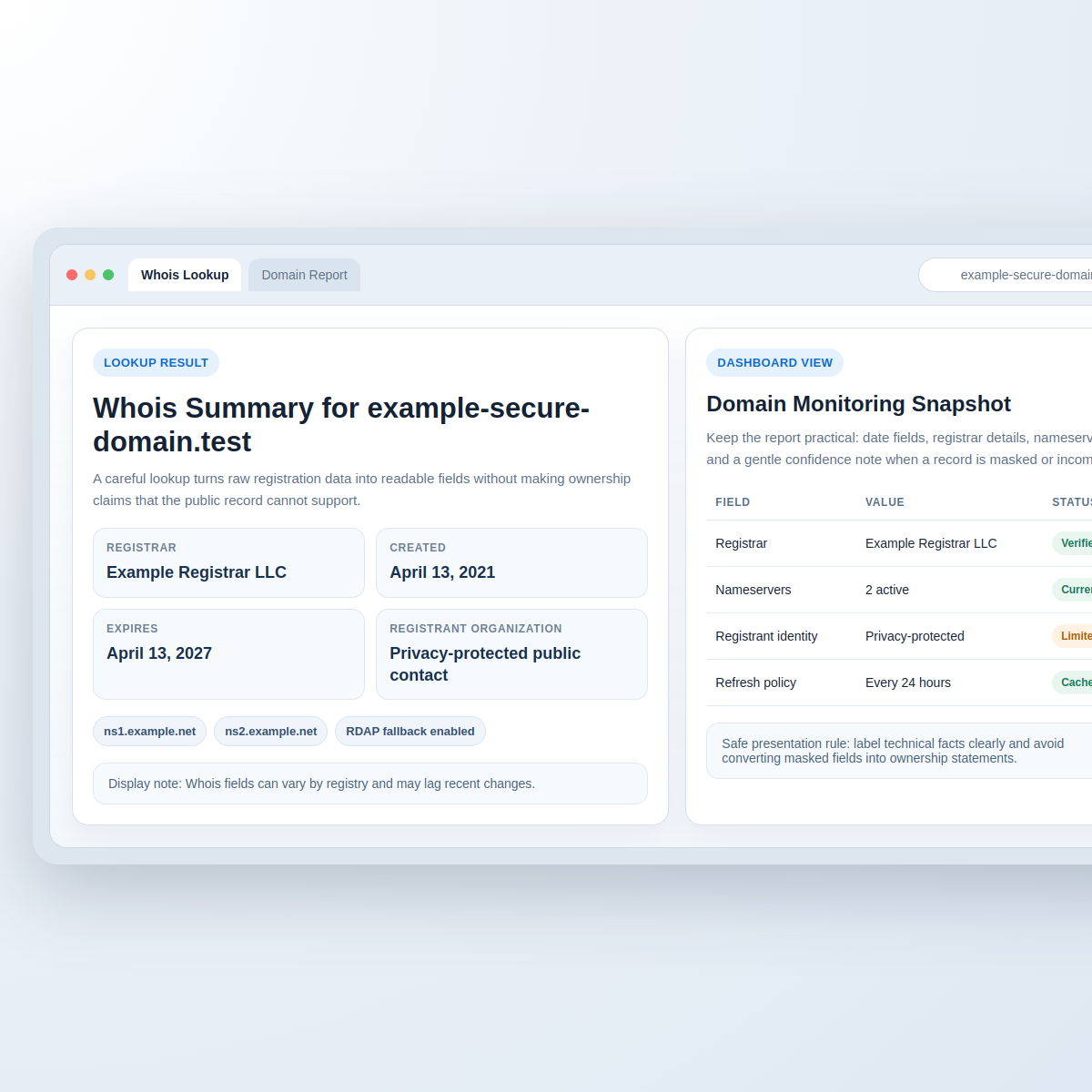
Whois outputs vary by registry and registrar, but you’ll often see sections like these. Here’s how to interpret the most common ones:
| Field / section | What it usually means | How to interpret it |
|---|---|---|
| Domain status | Current lifecycle state (e.g., active, pending delete) | Use it to judge whether the domain is currently in good standing or not. |
| Registrar | The company managing the domain’s registration | Registrar identity can help when you need to contact the right party. |
| Registered / creation date | When the domain was originally registered | Useful for estimating age, but not a timeline of ownership changes. |
| Updated date | When the record was last changed | Can lag behind reality if the registrant hasn’t updated details. |
| Expiration date | When the current registration term ends | Helpful for assessing whether the domain is likely to stay active. |
| Nameservers | Where DNS queries are directed | Corroborate with DNS lookups (A/AAAA/NS) and change history if you have it. |
| Registrant / administrative / technical contact | Who controls or manages the registration and technical settings | Privacy systems may replace contact details with a proxy or redacted values. |
Why some details may be hidden or outdated
Modern domain data is shaped by policy, privacy, and operational reality. Common reasons Whois results look incomplete include:
- Privacy and proxy registration: many registrants use services that display proxy information instead of personal details.
- Data accuracy lag: records can remain unchanged while DNS or hosting changes quickly.
- Different output formats: some registries rely on RDAP, and output fields can differ from classic Whois text.
- Access constraints and redaction: certain contact data can be suppressed or limited.
If you want a protocol-level reference on the modern approach, RDAP is documented by the IETF at RFC 9083 (RDAP Overview).
How to use Whois alongside other checks
Think of Whois as the registration layer. To build a more reliable picture, pair it with checks from other layers:
1) Confirm DNS reality
- Check the nameservers from Whois.
- Then verify DNS answers (A/AAAA/CNAME/TXT) using your own lookup tools.
2) Compare “age” with “activity”
- Use creation/updated/expiration dates as signals.
- Don’t assume the registrant or operator hasn’t changed just because the domain is “old.”
3) Use authenticated/registry-backed sources when possible
- Where RDAP is available, it may provide structured responses and clearer semantics than legacy text output.
- Refer to registry and ICANN guidance for expectations about directory services and data access policies.
For broader context on registries and policy frameworks, see ICANN’s domain name directory services resources: ICANN Whois / Directory Services overview.
4) Document what you found (and what you didn’t)
When building internal reports, record: the observed fields, timestamps, and any redaction indicators. That way, your conclusion doesn’t quietly depend on missing data.
Practical cautions for respectful use
Domain research often mixes legitimate security and due diligence with risky behavior. A respectful, practical approach:
- Avoid doxxing: don’t publish personal contact details extracted from Whois outputs.
- Don’t over-interpret redactions: hidden fields usually reflect privacy or policy—not necessarily illegitimacy.
- Rate-limit your lookups: treat directory services as shared infrastructure.
- Follow terms of service for any tool you use to fetch or display directory data.
- Prefer contacting the right channel (registrar- or proxy-mediated) for legitimate reporting or verification.
One more conservative rule: if your next action depends on ownership, require corroboration (DNS consistency, documented business signals, and—when appropriate—direct contact through proper channels).
Quick checklist: responsible Whois research
- Capture what the directory actually returns (including redaction indicators).
- Read lifecycle fields (status, dates) before you infer motives.
- Verify nameservers and DNS answers.
- Corroborate ownership/control using multiple independent signals.
- Respect privacy and avoid publishing personal data.
Conclusion
Whois lookups can be a helpful starting point for domain research: they provide registration-layer context like lifecycle status, registrar, and nameservers. But because privacy protections, policy changes, and data lag affect what you see, Whois is rarely a single-source answer.
If you want to do this well, treat Whois as evidence, not verdict: document what you observe, verify DNS behavior, and use corroborating sources before you conclude who controls a domain.
Want related references? Explore more on domain and web research in Sources/Functions… and browse utility guides in FREEWARES.
— Editorial staff