Why referrer and source reporting is harder now
Referrer data used to feel straightforward: a browser sent a full URL, your app logged it, and the report looked tidy. Modern browsers make that less reliable. The Referrer Policy specification shows that sites can limit how much referrer information is sent, and privacy settings can reduce it further. That means your PHP reports should be designed for partial visibility, not perfect attribution.
That shift matters because source reporting still has a job to do. You want to know where visits came from, which campaigns worked, and which landing pages need attention. But the useful question is now narrower: what can we measure accurately without storing more than we need?
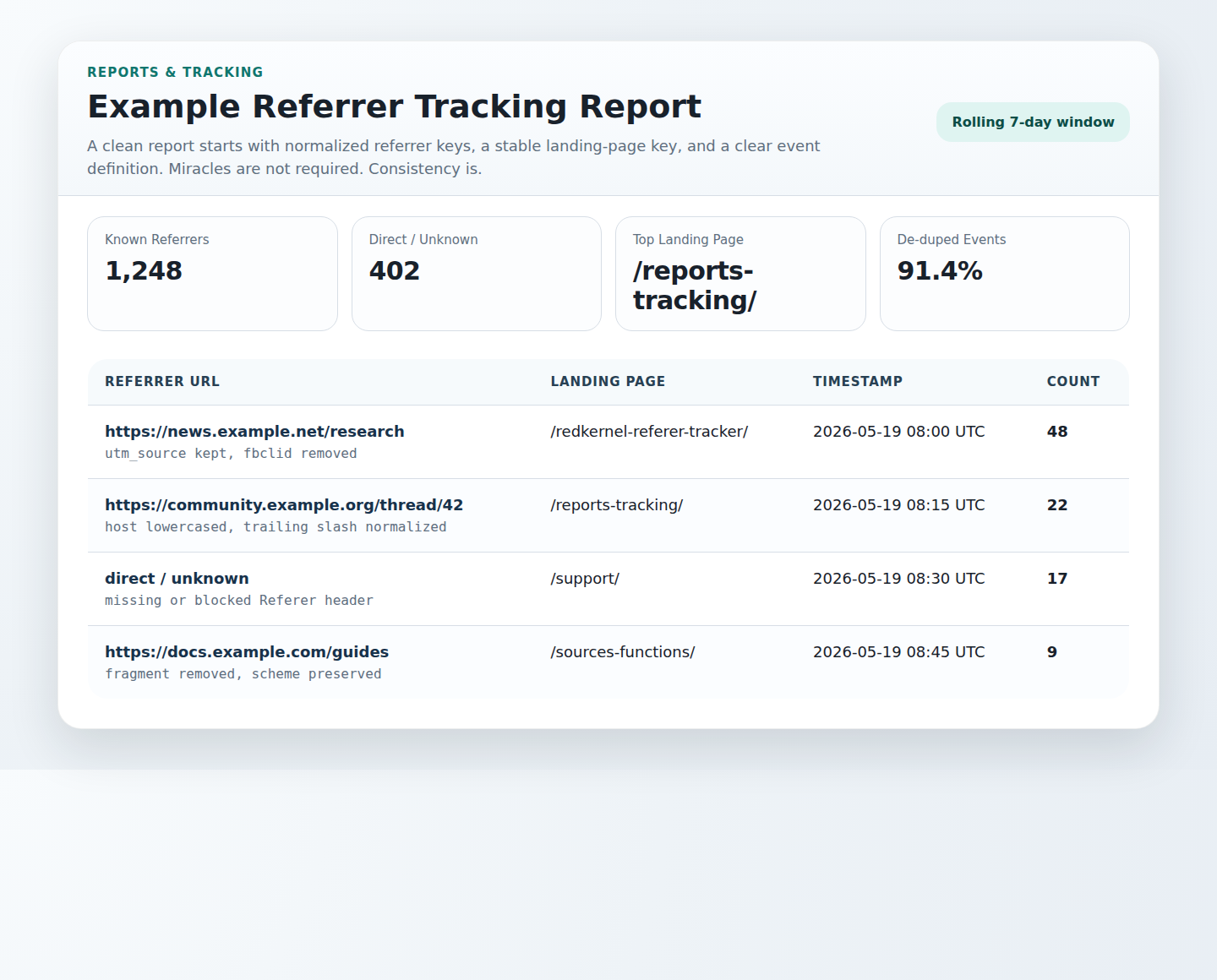
What data you actually need for useful reports
For most PHP sites, a minimal record is enough:
- Source host — the site or app that sent the visit.
- Campaign tags — values such as
utm_sourceorutm_mediumwhen you control the link. - Landing page — the page that received the visit.
- Timestamp — when the visit arrived.
- Minimal metadata — for example, a user-agent family or a coarse device bucket if your reporting really needs it.
That is usually enough for daily summaries, source breakdowns, and exportable reports. The more you expand the record, the more likely you are to collect data that is awkward to justify later.
If you are using an analytics package for comparison, Matomo’s documentation on HTTP request headers and what it tracks is a good reminder that referrer data is only one part of the story, and that some fields are more privacy-sensitive than others.
How to define data boundaries
Start with a blunt rule: if a field is not required for reporting, do not store it. That means avoiding full referrer URLs when host-level summaries are enough, and trimming query strings unless they are part of a deliberate campaign tag.
Good boundaries usually look like this:
- Exclude personal data and authentication values.
- Store the referring host instead of the full path when possible.
- Mask or drop query strings that may contain tokens, emails, or session IDs.
- Keep retention short enough to support reporting, not curiosity.
A small joke would be that the raw referrer URL is a bit like an overpacked suitcase: you can carry it, but you will regret it at the airport.
Validating incoming referrer data in PHP
Referrer handling should be treated like any other untrusted input. Normalize first, then validate, then decide whether to store.
A simple PHP flow can look like this:
<?php
$referrer = $_SERVER['HTTP_REFERER'] ?? '';
$sourceHost = '';

if ($referrer !== '') {
    $parts = parse_url($referrer);
    if (is_array($parts) && !empty($parts['host'])) {
        $sourceHost = strtolower($parts['host']);
        $sourceHost = preg_replace('/^www\./', '', $sourceHost);
    }
}

$allowedHosts = ['search.example', 'partner.example', 'news.example'];
$internalHosts = ['redkernel-softwares.com'];

if ($sourceHost !== '' && in_array($sourceHost, $internalHosts, true)) {
    $sourceHost = '';
}

if ($sourceHost !== '' && !in_array($sourceHost, $allowedHosts, true)) {
    $sourceHost = 'other';
}
?>
This example does three useful things: it normalizes the host, removes obvious internal traffic, and prevents the database from filling up with a long tail of one-off domains. If you want to see a broader tracking workflow in the same family, the site’s RedKernel Referer Tracker and Reports & Tracking pages are the most relevant internal references.
For standards context, the W3C Referrer Policy document explains why the browser may already have reduced the data you receive before your code sees it.
Handling unwanted referrals and self-referrals
Self-referrals are usually a sign that your own domains, subdomains, checkout flow, or identity provider are being counted as external sources. That distorts reports and can make a simple conversion path look like a relay race.
Build explicit exclusion rules for:
- your own domains and subdomains,
- payment gateways that return users after checkout,
- single sign-on or authentication providers,
- cross-domain steps that are part of one journey.
Matomo’s guidance on referral exclusions is a practical model here, and Google Analytics’ notes on unwanted referrals and campaigns and traffic sources show the same pattern from another angle: attribution works best when you decide the boundaries deliberately.
If you need a place to point users who are learning the reporting side, Sources/Functions… and Support provide the closest site-level context.
Designing report outputs
Reporting is where privacy discipline pays off. A safe export should answer the question cleanly without exposing more than the reader needs.
| Report view | Useful fields | Why it helps |
|---|---|---|
| Daily summary | Date, visits, top source hosts | Shows traffic shifts at a glance |
| Source breakdown | Source host, campaign tag, visits | Supports attribution without raw URLs |
| Landing page report | Landing page, source host, count | Shows which entry pages attract referrals |
| Export | CSV or JSON with minimal fields | Makes the data portable for internal review |
CSV is easy for editors and support teams. JSON is better when another PHP process or internal dashboard will consume the data. In both cases, keep the schema small and predictable.
For a related internal destination, the FREEWARES page can help readers explore the broader utility set, while the home page keeps navigation simple for visitors who arrived from search or a referral report.
Step-by-step implementation checklist
- Capture the referrer header only if your tracking policy allows it.
- Parse the URL and keep the host when the full referrer is not needed.
- Strip internal domains and known noise sources.
- Normalize campaign tags and landing page paths.
- Store only the fields needed for reporting.
- Review exclusion rules when you add a payment flow, SSO provider, or new marketing channel.
- Export summaries in CSV or JSON for the teams that actually use them.
Operational checklist
- Consent management: make sure collection matches your consent model and site policy.
- Retention: delete records that are no longer needed for current reporting.
- Access control: limit who can see raw logs or detailed exports.
- Rule review: re-check exclusions and allowlists on a schedule, especially after major site changes.
The safest reporting workflow is not the one that collects the most. It is the one that stays useful after browsers withhold more data, privacy settings trim the rest, and the spreadsheet still makes sense on Friday afternoon.
If you want to compare this approach with a broader utility toolkit, see the related Reports & Tracking overview and the Support page for next steps.