Data validation is the small, unglamorous step that keeps PHP forms from becoming a security problem.
When you search for this topic, you’re probably asking: what counts as “validation” in PHP forms? why does it matter for security? and which techniques should I use for input, output, and error handling? According to the OWASP community, input validation is a foundational control for reducing injection-related risk. In parallel, OWASP also emphasizes output encoding/escaping as a core defense to prevent cross-site scripting (XSS) and other rendering attacks.
This article breaks down practical, context-aware validation for common PHP form flows—request parsing, server-side checks, and safe rendering. You’ll learn what to validate, how to normalize values, and how to avoid the classic mistake: validating for the wrong layer.
By the end, you’ll have a concrete checklist and a set of ready-to-adapt patterns for implementing validation in PHP without turning security into a guessing game.
Table of contents
- What is Data Validation?
- Why is it Important?
- Common Data Validation Techniques
- Implementing Validation in PHP
- Conclusion and Best Practices
What is Data Validation?
Data validation is the process of checking input data for correctness (type, format, allowed ranges), expected structure, and business rules before your application uses it.
In PHP forms, validation usually happens on the server side and often includes two related concepts:
- Validation: “Does this value look right and belong here?”
- Normalization: “Convert acceptable inputs into a standard form” (e.g., trimming whitespace, consistent Unicode normalization, standardizing date formats).
A useful mental model
For each field, decide three things:
- What is the input type? (string, integer, email, date, selection from a fixed set)
- What constraints apply? (length, regex/format, min/max, allowed values)
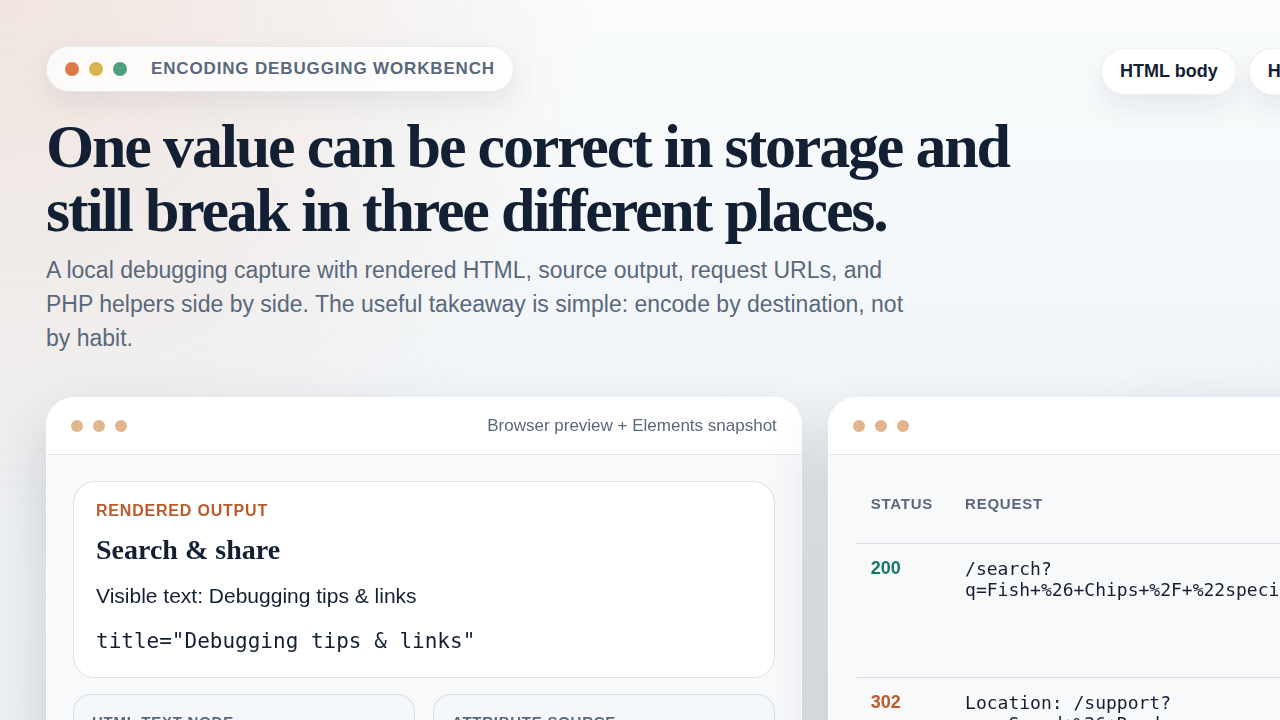
- What is the rendering context? (HTML text, HTML attribute, SQL parameter, JSON, URL)
Validation protects your application logic; encoding/escaping protects how data is rendered. Both matter, but they solve different problems.
Why is it Important?
Server-side validation helps reduce the chance that malformed or malicious input turns into harmful behavior. This matters because PHP applications often use request data in multiple places: database queries, HTML output, emails, redirects, and logs.
Key security reasons
- Prevents injection-style issues by rejecting inputs that don’t match expected formats (e.g., numeric fields with non-numeric characters).
- Reduces XSS risk when combined with correct output escaping. Even “valid-looking” text can be dangerous if rendered into HTML unsafely.
- Improves authorization and business logic: validation isn’t just syntax—it can enforce “only valid states are allowed” (e.g., status transitions, enum choices).
- Limits data exposure by controlling what errors you show and what you store in logs.
OWASP’s guidance aligns with this view: validation and safe output encoding are core controls, not optional “hardening” extras. References:
- OWASP SQL Injection (overview)
- OWASP Cross-Site Scripting (XSS) (overview)
- PHP Filters (filter_var / validation helpers)
Common Data Validation Techniques
Good validation is field-specific. Here are practical techniques you’ll see in PHP apps:
1) Type validation
- Integers: check numeric-only and enforce range (e.g., age 0–120).
- Booleans: accept only the exact values you expect (e.g., “0/1” or “true/false”).
2) Format validation
- Email: validate structure (prefer specialized filters).
- Date/time: validate format and then ensure the date is real (e.g., 2026-02-31 should fail).
- Identifiers: use explicit patterns for IDs, slugs, and tokens.
3) Length and boundary checks
- Limit max length to reduce abuse and prevent unexpected storage or rendering problems.
- Enforce min length where business rules demand it.
4) Allow-list (not deny-list)
When you can, validate by defining what’s allowed:
- Enum/select fields: accept only known values.
- Country codes: allow-list ISO codes if your domain supports them.
5) Normalization before checks
Normalization reduces edge-case mismatches:
- Trim leading/trailing whitespace.
- Unicode normalize when appropriate (especially if you allow user names or identifiers).
- Collapse whitespace for free-text fields when your app expects it.
Implementing Validation in PHP
Below is a safe, practical pattern for typical request → validate → process → render workflows.
Step 1: Validate early, fail with controlled errors
Collect errors per field so the user can fix mistakes without exposing sensitive details.
Step 2: Validate per field, using constraints that match intent
PHP’s filter extension can simplify common checks:
// Example only (adapt to your app’s field rules)
$email = $_POST['email'] ?? '';
if (!filter_var($email, FILTER_VALIDATE_EMAIL)) {
    $errors['email'] = 'Please enter a valid email address.';
}
Step 3: Validate selections with allow-lists
$allowedPlans = ['free', 'starter', 'pro'];
$plan = $_POST['plan'] ?? '';
if (!in_array($plan, $allowedPlans, true)) {
    $errors['plan'] = 'Invalid plan selected.';
}
Step 4: Enforce boundaries
$age = $_POST['age'] ?? null;
if (!filter_var($age, FILTER_VALIDATE_INT, ['options' => ['min_range' => 0, 'max_range' => 120]])) {
    $errors['age'] = 'Age must be a number between 0 and 120.';
}
Step 5: Safe output rendering (don’t skip this)
Even after validation, treat output as a separate concern. If you’re rendering user-provided text into HTML, escape it for HTML context.
For HTML text nodes, use HTML escaping (e.g., htmlspecialchars with appropriate flags). If you’re putting values into an HTML attribute or into JavaScript, you need the correct context-specific escaping.
Validation checklist you can reuse
- Each field has an explicit rule set (type/format/range/business constraints).
- Allow-lists are used for enum/select fields.
- Limits are applied (max length, numeric boundaries, token length).
- Normalization happens before checks (trim, consistent formatting).
- Output escaping matches the rendering context (HTML text vs attributes vs URLs).
- Error messages are user-friendly and don’t reveal internal details.
Where to plug internal links
If you’re also building or auditing form-related utilities, browsing the site’s Support section can be a good starting point for practical guidance. For general developer-oriented material, the Home page keeps the site’s core tools and topics easy to locate.
Conclusion and Best Practices
Data validation in PHP forms is not a single technique—it’s a field-by-field contract between what your application expects and what the user submits. When validation is paired with correct, context-aware output escaping, it meaningfully reduces risk and improves reliability.
Best practices to keep
- Validate on the server, regardless of what you do on the client.
- Use allow-lists wherever possible.
- Normalize first, then validate.
- Escape for output context—validation doesn’t automatically make rendering safe.
- Test edge characters: whitespace, unicode punctuation, long inputs, and unexpected formats.
If you take only one thing: build validation rules that match the field’s intent, and treat output rendering as its own step. That separation is where most “it still breaks” cases get fixed.